Using the Search Context Menus
The Search app allows you to perform certain tasks on assets found in the Results area. The actions available in this menu change based on the type of asset that you are working with.
The following illustration shows the context menu for a Production Management asset.
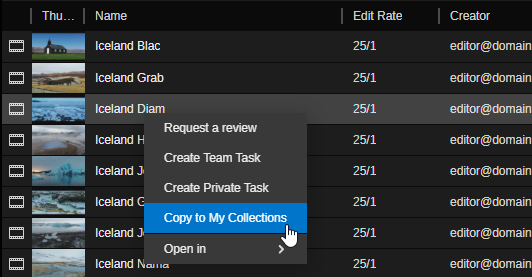
Illustration provided as an example only. The contents of the context menu can change over time.
You can access the context menu in one of two ways:
-
Right-clicking on an asset (as shown above).
-
 Selecting an asset in the Results area and then clicking the context menu in the Search app header.
See the following topics:
-
For information on the Request a Review feature, see Using the Review and Approval App.
This feature is exclusive to Production Management and Web Editor assets only.
-
For information on the Create Team Task and Create Private Task features, see Creating Regular Tasks.
-
For information on the Duplicate feature, see Duplicating a Project.
-
For information on the Copy to My Collections feature, see Using My Collections.
-
For more information on the Open In feature, see Choosing the App for Opening Assets.