Making a Private Task Public
The Tasks app allows you to make any of your private tasks public so that your team can collaborate on it. The Make Public feature changes the Access property of the task from Private to Team.
Note the following:
-
You can convert a Private task to a Team task but not the other way round.
-
There is no undo for this operation: Once the access type has changed from Private to Team it cannot be reverted.
To make a private task public:
-
Open the Detail panel of the task.
-
In the Details panel header, click the Menu button and select Make Public.
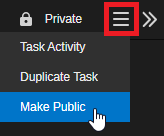
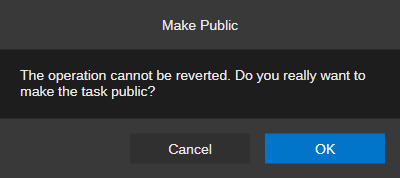
A Make Public prompt opens.
-
Do one of the following:
-
Click OK to make your private task public.
The Access property of the task is changed from Private to Team. The Assignee field is now shown in the task details, you are still set as the assignee of the task.
-
Click Cancel to abort the operation.
-