Configuring the Search Settings
The Search settings apply to the Search app and the Search bar at the top of the Avid Content Core user interface.
Review the following table to learn more about the Search settings.
|
Setting |
Description |
|
Query Mode |
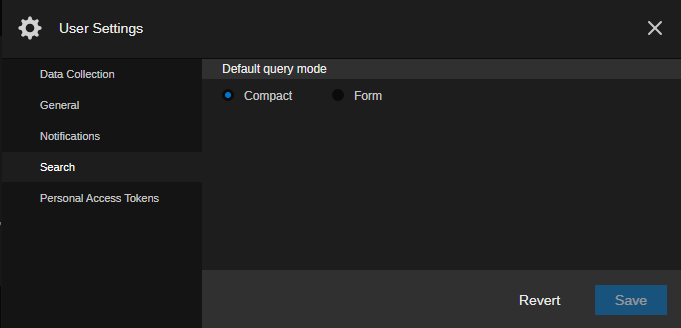
Defines the default look of the Search header. The Compact option displays the search terms in the traditional “pill” format, while the Form option displays each search term in detail in two columns of data. For more information, see Using the Query Mode Button. |
To configure the Search settings:
-
Open the User Settings dialog box.
-
In the User Settings navigation panel on the left, select the Search group.
-
Do one of the following:
-
Select the Compact option button to display the search terms in the traditional “pill” format (enabled by default).
-
Select the Form option button to display each search term in detail in two columns of data.
-
-
Click Save to apply your changes.
Alternatively, you can click the Revert button to return the settings to their previous state.