Configuring the General Settings
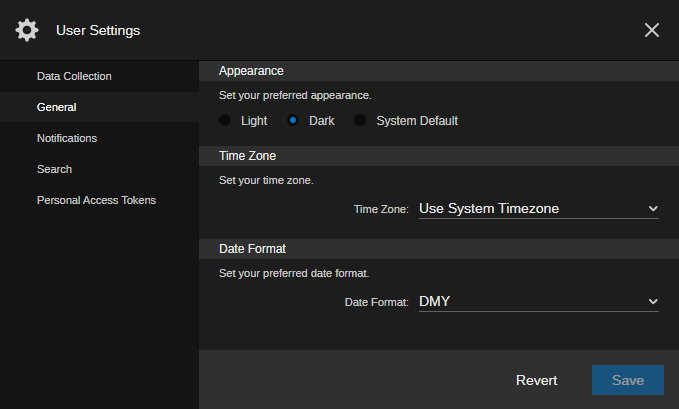
The General settings apply to a wide variety of apps and areas of the user interface. You can configure any of the following settings to customize your Avid Content Core experience.
|
Setting |
Description |
|
Appearance |
Allows you to configure the user interface's general theme. Options include:
Appearance settings apply to the ACC user apps, and do not apply to the administrator apps. When you select a new theme, ACC applies the color changes immediately. However, your settings are only saved after you click the Save button. |
|
Time Zone |
The Time Zone setting is used by Avid Content Core to display dates and other formatted data according to your selection. The default setting is “Use System Timezone,” which uses the time zone that is configured on your workstation's operating system. |
|
Date Format |
Defines how dates and times are displayed within the ACC user interface for your individual account. Select the format you want from the drop-down menu.
hh = 12h format |
To configure the General settings:
-
Open the User Settings dialog box.
-
In the User Settings navigation panel on the left, select the General group.
-
Select a new appearance setting from the Appearance menu.
-
Select a new time zone from the Time Zone menu.
-
Use the Date Format menu to define how you would like to have date fields appear in the user interface.
-
Click Save to apply your changes.
Alternatively, you can click the Revert button to return the settings to their previous state.